AnyWrite: AI Writing Keyboard
Publisher Description
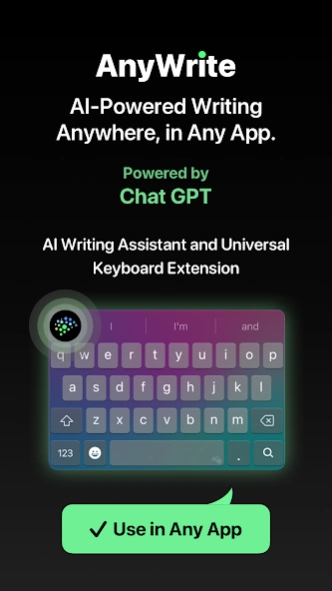


AI-powered keyboard for grammar checks, tone adjustments, and seamless writing.
✍️ Transform Your Writing with AnyWrite. The AI-Powered Keyboard That Makes Every Word Count!
Struggle with grammar mistakes, unclear messages, or endless revisions? Say goodbye to these challenges with AnyWrite, the ultimate AI writing assistant. Integrated directly into your keyboard, AnyWrite provides real-time grammar correction, tone adjustment, and AI writing tools to ensure your text is always polished, professional, and error-free.
🌟
Key Features:
✍️
Writing Tools:
- Fix Grammar: Instantly correct grammatical errors.
- Change Tone: Adjust text tone to match context.
- Rephrase: Get alternative sentence versions.
- Continue: Maintain writing flow effortlessly.
- Summarize: Condense text to highlight key points.
- Emojify: Add emojis for expressive messages.
- Versify: Transform text into poetic verses.
📝
AI Reply:
- Quickly respond to messages with contextually relevant suggestions.
- Copy text and get the best answers instantly.
🤖
Ask AI:
- Access AI-powered assistance directly from your keyboard.
- Create engaging social media posts and captions effortlessly.
- Generate well-structured essays and reports instantly.
- Get help anywhere, in any app, anytime you need it.
✉️
Email Writer:
Compose emails smoothly with
- Business: Professional templates and suggestions.
- Personal: Friendly, clear messages.
- Quick Replies: Fast responses for common situations.
📨
Email Reply:
Get perfect replies for any context
- Formal: For business communications.
- Casual: For personal messages.
- Custom: Adjust tone as needed.
📌
How AnyWrite Enhances Your Writing Experience:
1. Multilingual Support: Ensures accuracy and error-free text in multiple languages, aiding non-native speakers in writing confidently.
2. Ideal for Professional Use: Offers advanced grammar checking and tone adjustment, creating polished business documents and enhancing professional communication and credibility.
3. Perfect for Students: Comprehensive tools like Fix Grammar and Rewrite improve writing skills and essay quality
4. Enhanced Productivity: Features like Smart Reply and Ask AI provide quick, accurate responses, saving time and streamlining workflow.
5. User-Friendly Interface: Integrates seamlessly with the keyboard, offering customizable settings for an enjoyable and efficient typing experience.
💡
Practical Applications of AnyWrite:
◼️ Business: Create professional documents with ease. Ask AI boosts productivity.
◼️ Academic: Perfect for essays and research.
◼️ Creative: Refine writing with Fix Grammar and Change Tone.
◼️ Daily: Enhance interactions with accurate writing and AI Translate.
◼️ Social Media: Craft engaging, error-free posts. Tone adjustment and AI Reply improve engagement.
⚡️
Powered by ChatGPT-4o and Fleksy Keyboard SDK
AnyWrite leverages the power of ChatGPT-4o for its AI capabilities and the Fleksy Keyboard SDK for a smooth and intuitive typing experience. This combination makes it an excellent tool for proofreading, paraphrasing, and grammar checking.
Download AnyWrite today and experience the future of smart typing and communication!
Make your writing clear, compelling, and confident with real-time feedback and the ultimate AI-powered rewrite tool. Improve your vocabulary, get perfect synonyms, and achieve clarity improvements instantly.
About AnyWrite: AI Writing Keyboard
The company that develops AnyWrite: AI Writing Keyboard is Appnest Technologies. The latest version released by its developer is 1.0 .
To install AnyWrite: AI Writing Keyboard on your Android device, just click the green Continue To App button above to start the installation process. The app is listed on our website since 2025-04-28 and was downloaded 17 times. We have already checked if the download link is safe, however for your own protection we recommend that you scan the downloaded app with your antivirus. Your antivirus may detect the AnyWrite: AI Writing Keyboard as malware as malware if the download link to aisland.ai.keyboard.assistant.chat.gpt.writing.grammar.check.android is broken.
How to install AnyWrite: AI Writing Keyboard on your Android device:
- Click on the Continue To App button on our website. This will redirect you to Google Play.
- Once the AnyWrite: AI Writing Keyboard is shown in the Google Play listing of your Android device, you can start its download and installation. Tap on the Install button located below the search bar and to the right of the app icon.
- A pop-up window with the permissions required by AnyWrite: AI Writing Keyboard will be shown. Click on Accept to continue the process.
- AnyWrite: AI Writing Keyboard will be downloaded onto your device, displaying a progress. Once the download completes, the installation will start and you'll get a notification after the installation is finished.
Program Details
System requirements
Download information
Pricing
Version History
version 1.5.91
posted on 2025-04-28
version 1.5.9
posted on 2024-04-24
Welcome to AnyWrite!
We’ve rebranded from Aisland to better showcase our diverse writing tools. Explore what’s new:
1. Ask AI:
Need answers? Chat with our AI assistant directly in the app, anytime, anywhere!
2. Email Writer:
Effortlessly draft and respond to emails with our new Email Writer—quick, effective communication at your fingertips!
- Bug Fixes & Performance Improvements.
Try the new features today and elevate your writing with AnyWrite!
